Theme:

A Practical Guide to Unlocking Accessibility of Websites

In this article, we dive into using powerful tools like WAVE to identify and address accessibility issues on your website. We also learn how to use these tools to spot common barriers, from missing alt text to improper heading structure, and take actionable steps to improve your site’s accessibility.

Website accessibility is crucial for creating an inclusive digital space, ensuring that everyone can perceive, understand, navigate, and interact effectively with online content. It's about designing and developing websites so they are usable by all people.

Who Benefits from an Accessible Web?

The impact of an inclusive web goes far beyond those with permanent disabilities. While accessibility is essential for people with disabilities and those who use assistive technologies, it also significantly improves the experience for:

  • Older users whose abilities may be changing.
  • Users experiencing temporary impairments (like a broken arm or a migraine).
  • People using mobile devices or navigating with slow internet connections.

Accessibility is fundamental for everyone, contributing to a fairer and more usable digital space.

⚖️ The Mandate: Global Accessibility Requirements

Creating an accessible web is not merely a courtesy; it's a legal and ethical obligation. This responsibility is guided by internationally recognised standards and enforced by national laws.

WCAG: The Technical Standard

The foundational standards come from the Web Content Accessibility Guidelines (WCAG), a set of technical criteria for improving web accessibility. Developed through the W3C process, WCAG serves as the single shared international standard used by individuals, organizations, and governments globally. Many regional and international regulations mandate accessibility by requiring compliance with a specific version of WCAG.

Key Regional Requirements

While the WCAG provides the technical framework, different regions enforce compliance through specific legislation. Below are some examples.

  • European Union (EU): The EU has the Web and Mobile Accessibility Directive (for public sector bodies) and is implementing the European Accessibility Act (EAA). The EAA is significant because it will apply to the private sector and set common rules for accessibility of products and services across EU member states, with enforcement actions starting in 2025.
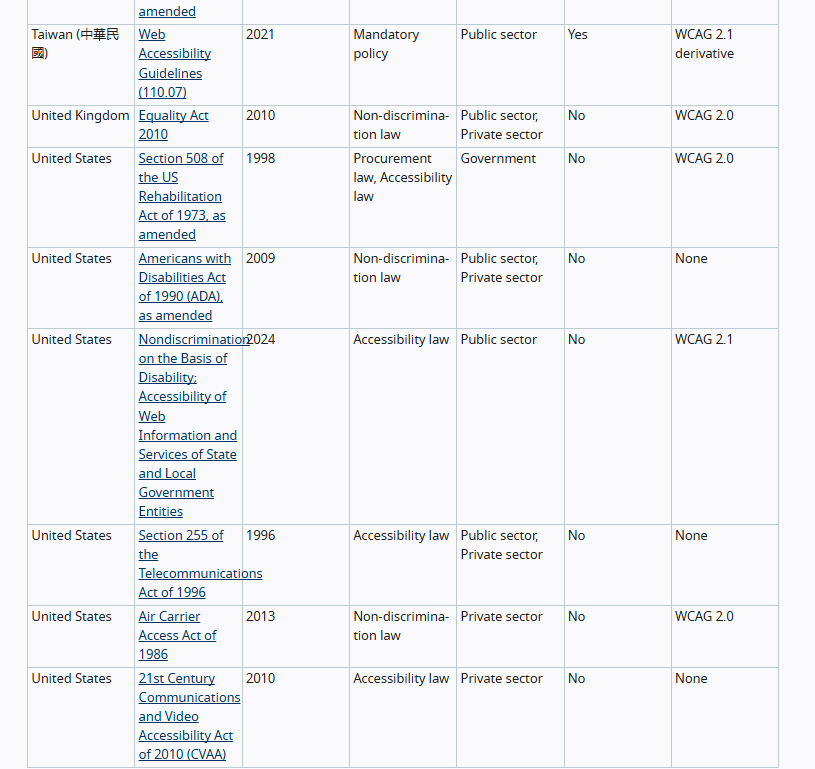
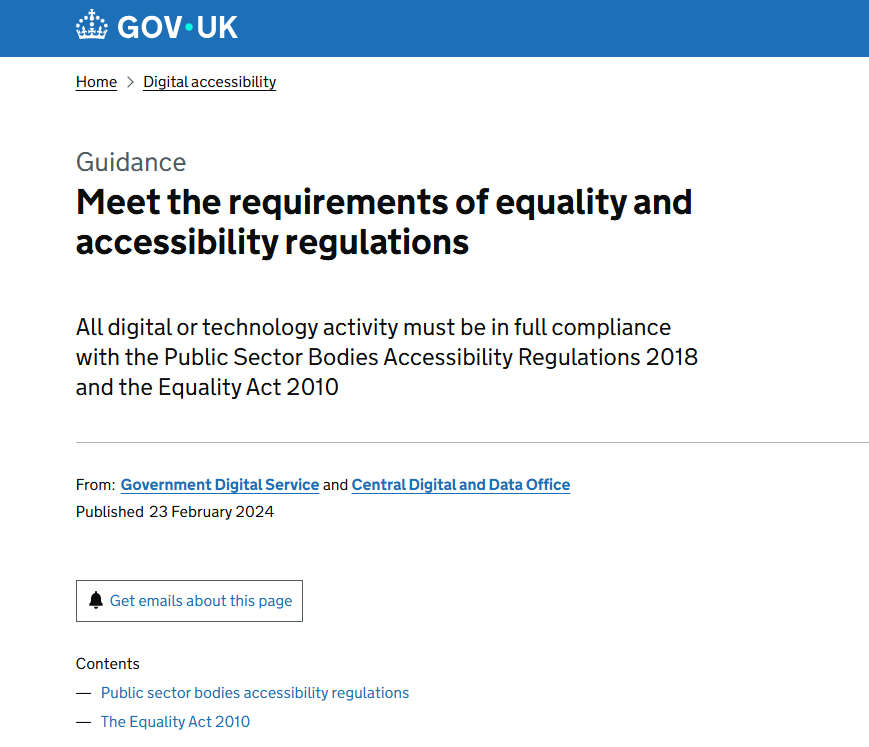
  • United Kingdom (UK): The key law is the Equality Act 2010 (EQA), which places a legal obligation on UK goods and service providers (in both the public and private sectors) not to discriminate against disabled people. The EQA requires website owners to proactively make "reasonable adjustments" to ensure their web content is accessible. For the public sector, the Public Sector Bodies (Websites and Mobile Applications) Accessibility Regulations specifically mandate compliance, typically aligning with WCAG 2.2 Level AA standards.
  • United States (US): Accessibility is largely enforced through two major laws: Section 508 of the Rehabilitation Act (for federal agencies and government-funded organizations), which requires compliance with WCAG, and the Americans with Disabilities Act (ADA), which is a non-discrimination law that applies to the public accommodations provided by businesses. Lawsuits under the ADA have established that commercial websites are considered places of public accommodation, necessitating compliance with accessibility standards, typically WCAG 2.0 or 2.1 Level AA.
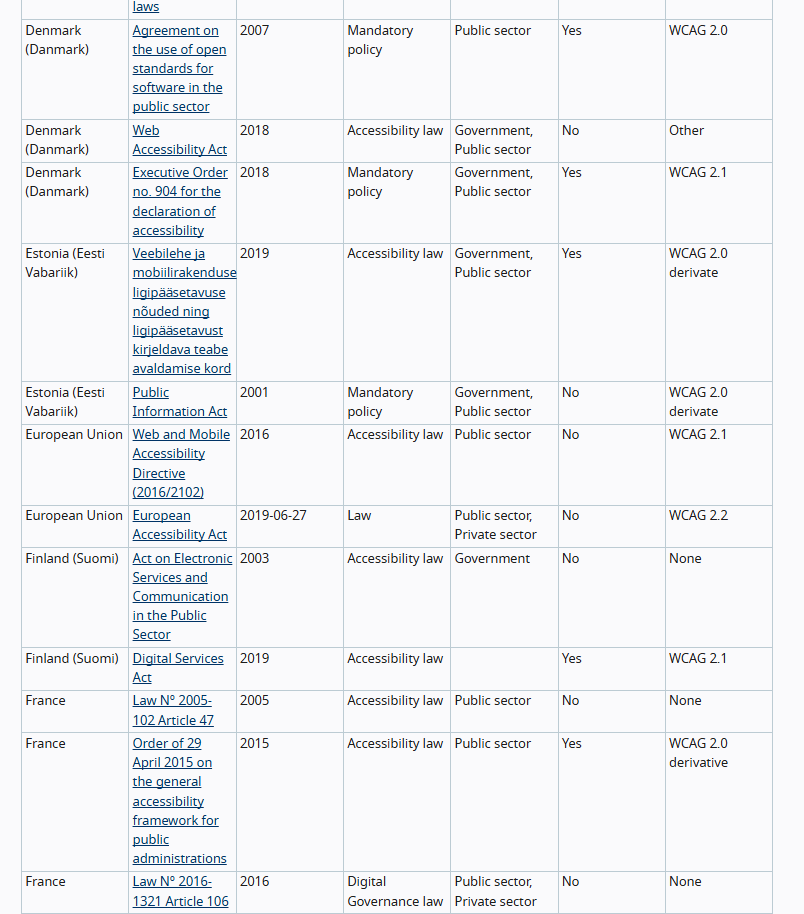
A list of Web Accessibility Laws & Policies for various countries, including EU

Web Accessibility Laws & Policies for various countries, including EU

A list of Web Accessibility Laws & Policies for various countries, including UK and US

Web Accessibility Laws & Policies for various countries, including UK and US

UK Equality Act 2010 accessibility regulation

UK Equality Act 2010

Beyond legal compliance, for the private sector, there is a compelling business case: accessible sites often enjoy better SEO benefits and enhance corporate reputation by demonstrating a commitment to digital inclusion.

💡 The Four Pillars of Design: Principles of Accessibility (POUR)

WCAG is structured around four core principles, often abbreviated as POUR. These are the principles that guide developers, designers and content creators in creating content that can be used by everyone:

  • Perceivable: Users must be able to process the information presented. This means all content must be presentable in ways users can perceive, such as providing text alternatives for non-text content like images.
  • Operable: Users must be able to successfully interact with the interface. Components must be usable via the keyboard and other means—not just a mouse.
  • Understandable: Content must be clear and predictable. The information and the operation of the user interface must be easy to understand to minimise confusion.
  • Robust: Content must be compatible and reliable. It needs to work well with current and future assistive technologies, ensuring consistent interpretation

⚠️ Identifying and Fixing Common Issues

Many accessibility failures boil down to a few critical, yet fixable, errors.

Common Pitfalls

  • Missing alt text on images: Screen readers cannot describe the image's content or function to visually impaired users.
  • Poor colour contrast: Insufficient contrast makes text difficult to read for users with visual impairments.
  • Improper heading structure: Headings must follow a logical, nested order (h1, h2, h3, etc.) to aid page navigation and structure comprehension.
  • Non-descriptive links: Links labelled generically, like "Click here," lack context about their destination, confusing screen reader users.
  • Keyboard navigation issues: Users who rely solely on keyboards cannot access or operate all elements, such as buttons or form fields.

🌊 Introducing the WAVE Tool

To effectively tackle these issues, developers often turn to the WAVE (Web Accessibility Evaluation Tool). Developed by WebAIM, WAVE is a free tool that helps identify accessibility problems quickly and directly on the web page.

The tool is available as a browser extension, allowing for the evaluation of content directly within your browser. One key advantage of WAVE is its ability to help you understand issues and potential fixes much quicker than reading lengthy, complex assessment reports.

To start a test, you simply enter your website's page URL and hit the Enter button on your keyboard.

Home page of WAVE Web Accessibility Evaluation Tool

WAVE Web Accessibility Evaluation Tool

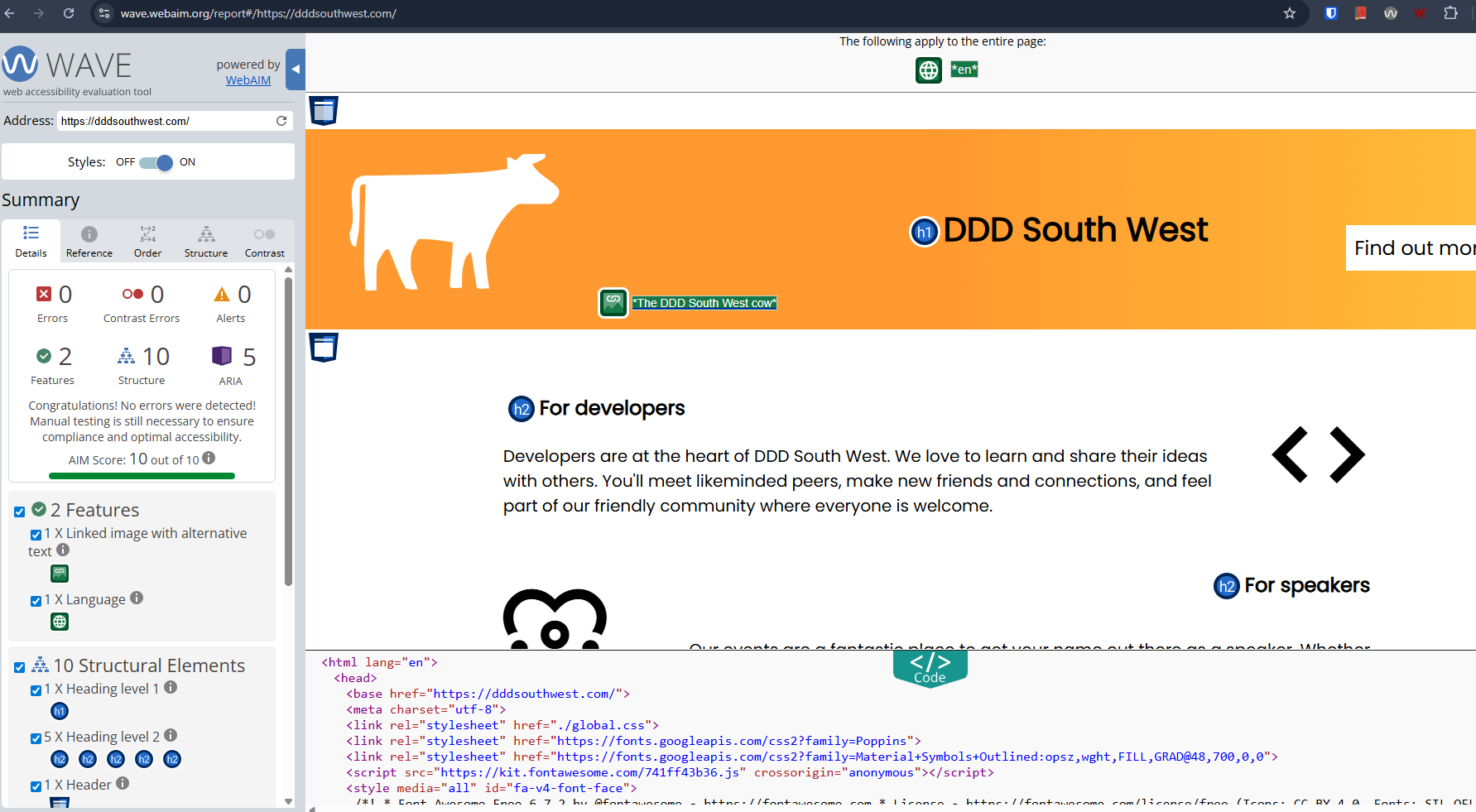
WAVE Web Accessibility Evaluation Tool Sample Test Results screen for https://dddsouthwest.com/

WAVE Web Accessibility Evaluation Tool Sample Test Results for https://dddsouthwest.com/

Understanding the WAVE Interface

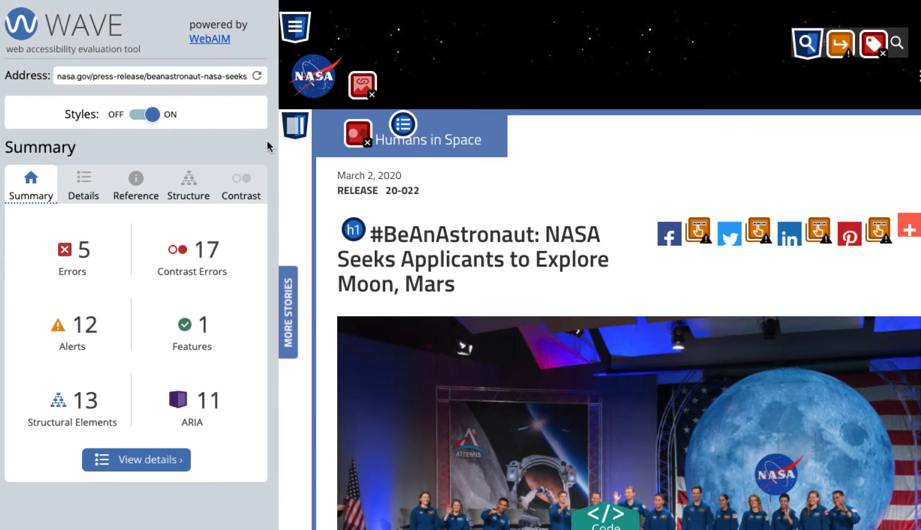
WAVE highlights issues on the page using inline icons and displays a summary panel organised into six categories. Simply click on the sections to see details for your web page's accessibility issues.

💡WAVE and similar tools are designed to assist in identifying and resolving accessibility issues in your solution, but results should be verified by a real person.

  • Errors (Red Icons) are clear WCAG failures that will impact certain users.
  • Contrast Errors highlight failures to meet colour contrast ratios.
  • Alerts (Yellow Icons) are elements that might cause accessibility issues and require manual review by an evaluator.
  • Features (Green Icons) indicate elements that enhance accessibility, like proper alternative text for images.
  • The Reference panel offers explanations for errors and links directly to relevant WCAG guidelines.
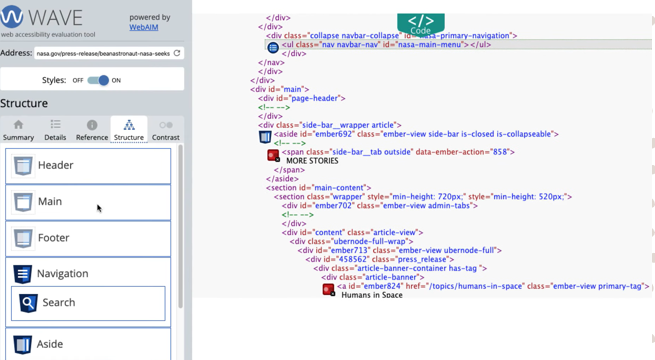
  • The Structure panel shows how the page content is organised, identifying regions like <header>, <main>, and headings, which is crucial as incorrect sectioning causes issues.
WAVE Web Accessibility Evaluation Tool Summary Section

WAVE Web Accessibility Evaluation Tool Summary Section

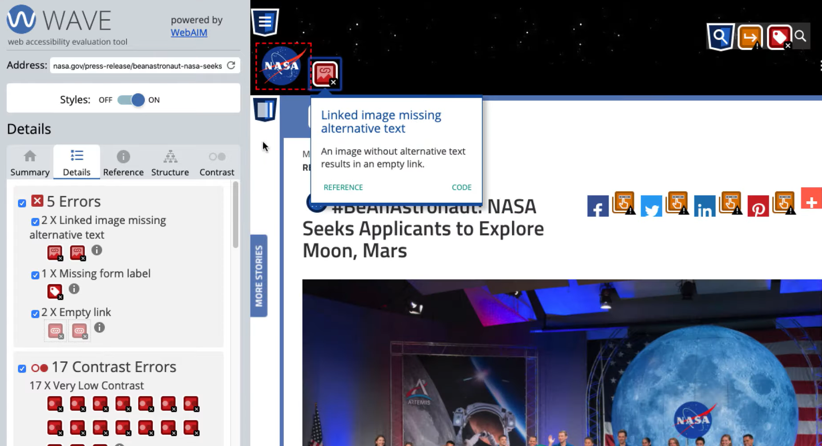
WAVE Web Accessibility Evaluation Tool Details Section

WAVE Web Accessibility Evaluation Tool Details Section

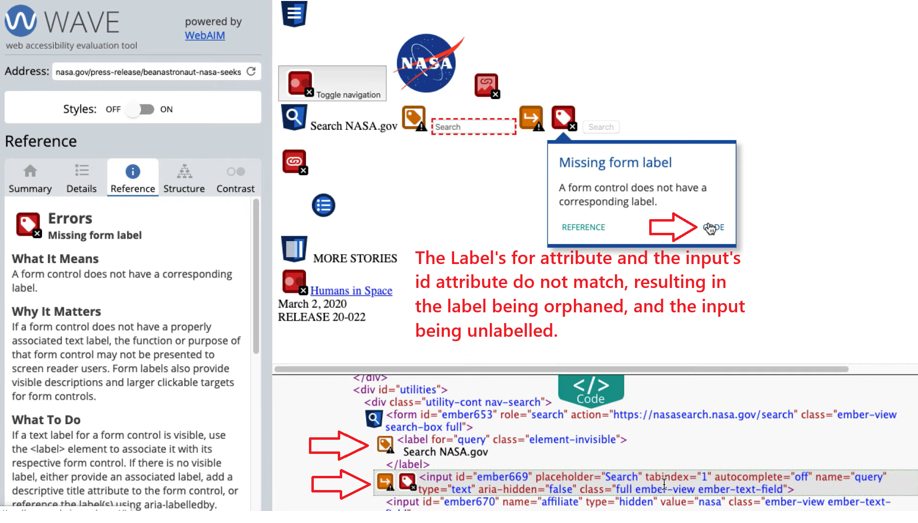
WAVE Web Accessibility Evaluation Tool Reference Section

WAVE Web Accessibility Evaluation Tool Reference Section

WAVE Web Accessibility Evaluation Tool Structure Section

WAVE Web Accessibility Evaluation Tool Structure Section

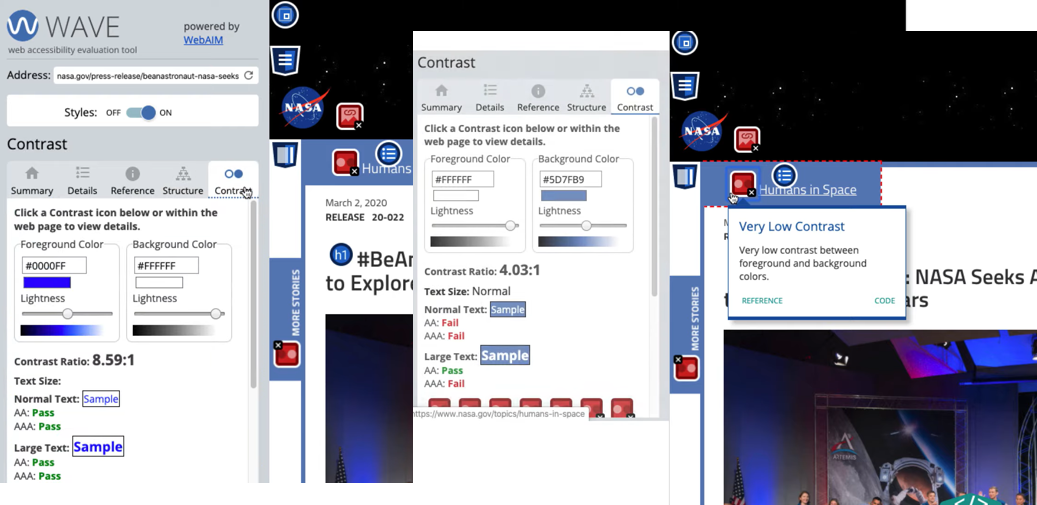
WAVE Web Accessibility Evaluation Tool Contrast Section

WAVE Web Accessibility Evaluation Tool Contrast Section

Practical Fixes

By using tools like WAVE, we can target and fix issues with precision.

💡You can create test pages for all your content templates using all of your content blocks. Testing these pages will help identify any accessibility issues, allowing you to address them effectively. This process will save you time and give you confidence that you have implemented all the necessary fixes for your content pages.

  • Images: Add descriptive alt text that clearly describes the function or content of the image.
  • Contrast: Adjust text and background colours to meet the required WCAG contrast ratios.
  • Headings: Ensure correct, logical nesting of semantic HTML heading tags (<h1> through <h6>).
  • Links: Make link text descriptive of the target page instead of vague phrases.
  • Navigation: Ensure full keyboard navigation is possible, including the provision of a visible "Skip to main content" link for users who tab through repeated elements on a page.

🚀 Integrating Accessibility into Your Workflow

Accessibility shouldn't be a one-time audit; it must be an ongoing commitment integrated into your development process.

  • Education and Training: Educate your entire team—developers, designers, and content creators—on best practices. This includes helping clients create their required accessibility statements. You should encourage your clients to create an accessibility statement and take action.
  • Early Review: Include accessibility checks in your design reviews. Check for contrast, layout, and interaction issues early in the process to avoid costly retrofitting later.
  • Automate Testing: Integrate automated tools (such as Lighthouse or axe) directly into your development pipeline to catch regressions immediately.
  • Manual Testing: The final, essential step is manual testing. Combine automated results with real-world checks, including keyboard-only navigation and screen reader usage, to ensure a smooth user experience.

By making accessibility a foundational element of your workflow, you ensure your digital products are robust, inclusive, and legally compliant.

Let’s create solutions that are accessible and usable for everyone.